S3
One of the supported backing services are S3 buckets. They can be created by adding the following lines to your box.yaml:
backing_services:
  s3:
    buckets:
      test: { }
Viewing
You can view monitoring metrics in the AWS console. There are several places where you can find them. The most important are:
Additionally, if you enable CDN access for your S3 bucket, you can also access metrics in the CloudFront console.
S3 monitoring view
You can view some monitoring metrics in the AWS S3 console. To show them you have to open the Metrics view:
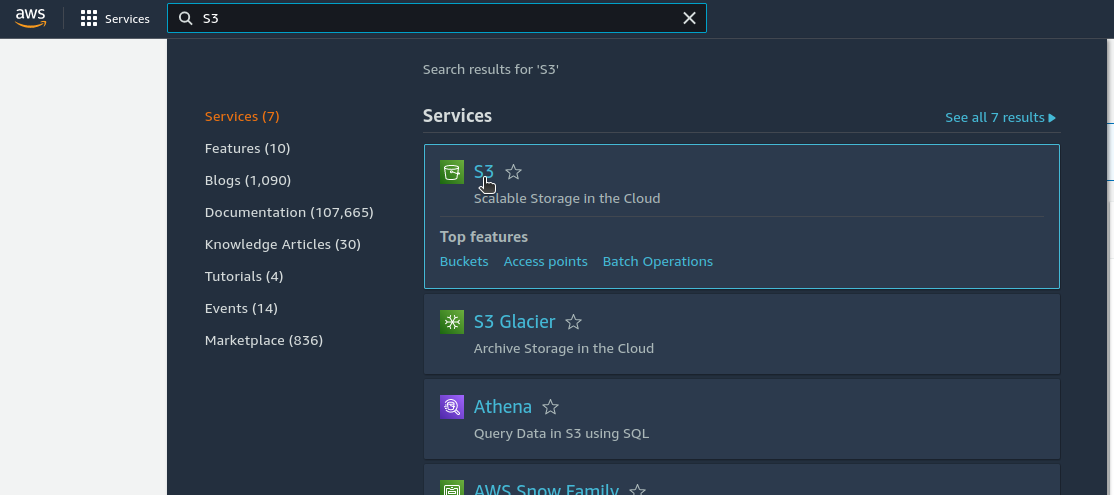
- Find and select the S3 console:
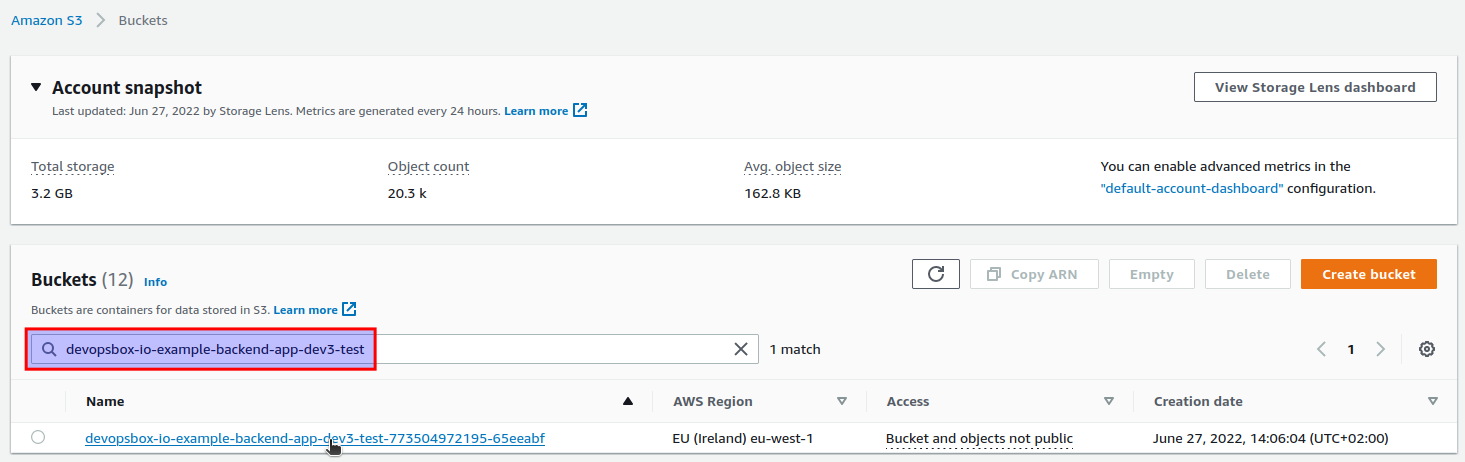
- Select your S3 bucket. The bucket name usually starts with your application's name (
e.g.
devopsbox-io-example-backend-app) and environment name (e.g.dev3), followed by a key used in your box.yaml ( e.g.test). All the.and/characters are replaced with-:
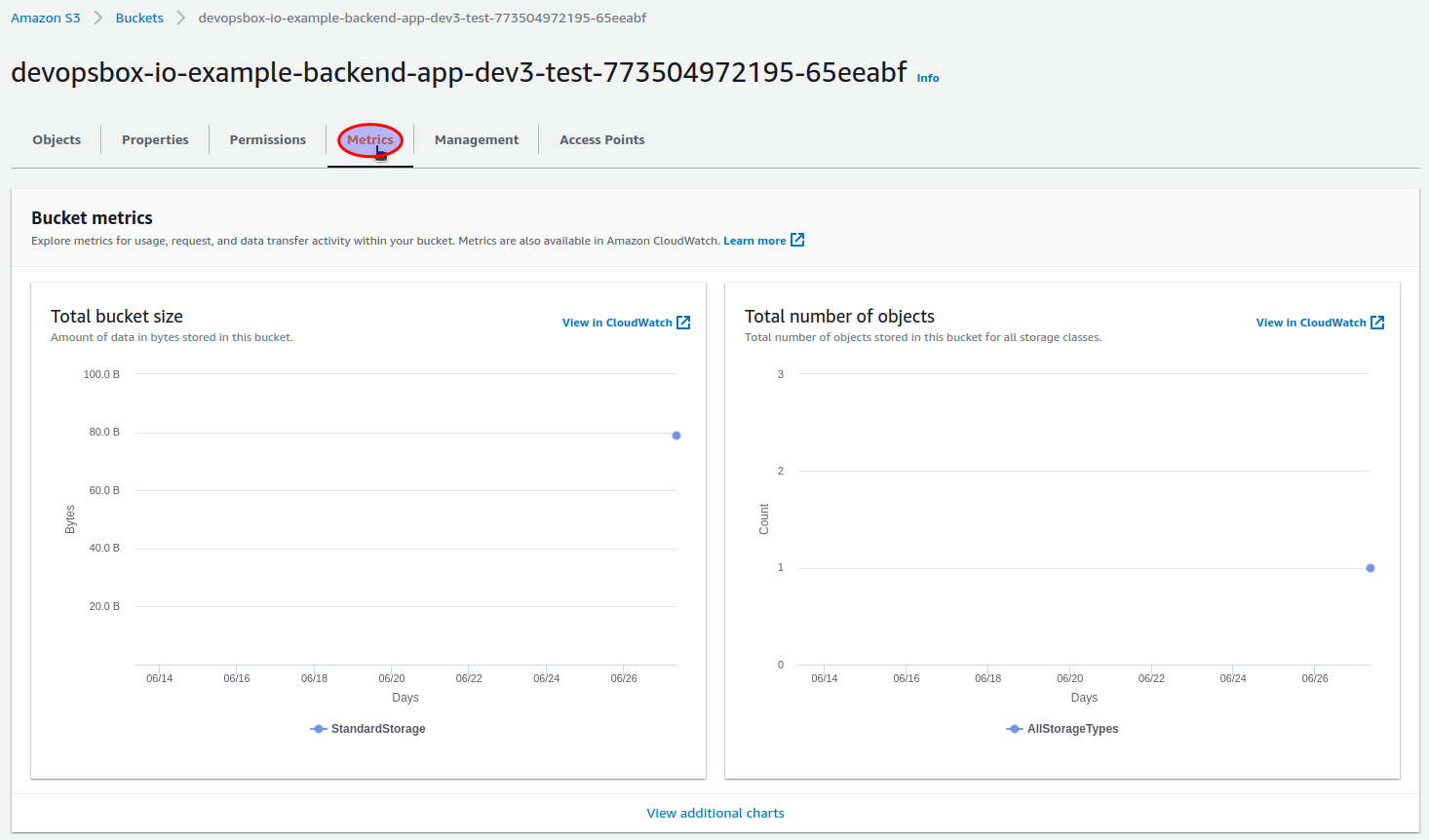
- Metrics are available in the
Metricstab:
CloudFront
If you enable CDN access for the S3 bucket in your box.yaml:
backing_services:
  s3:
    buckets:
      test:
        cdn:
          enabled: true
You can also view metrics for the CloudFront distribution. Please
check STATIC_WEBSITE monitoring documentation for more
details. The only difference is the CloudFront distribution description - the name format
is: APP_NAME.ENVIRONMENT.BACKING_SERVICE_KEY.BUCKET_KEY (
e.g. devopsbox-io/example-backend-app.dev3.s3.test).
CloudWatch
To access S3 metrics in the CloudWatch console, first you have to obtain the S3 bucket name (check "
Select your S3 bucket" in S3 monitoring view). An example of a bucket name
is devopsbox-io-example-backend-app-dev3-test-123456789012-65eeabf.
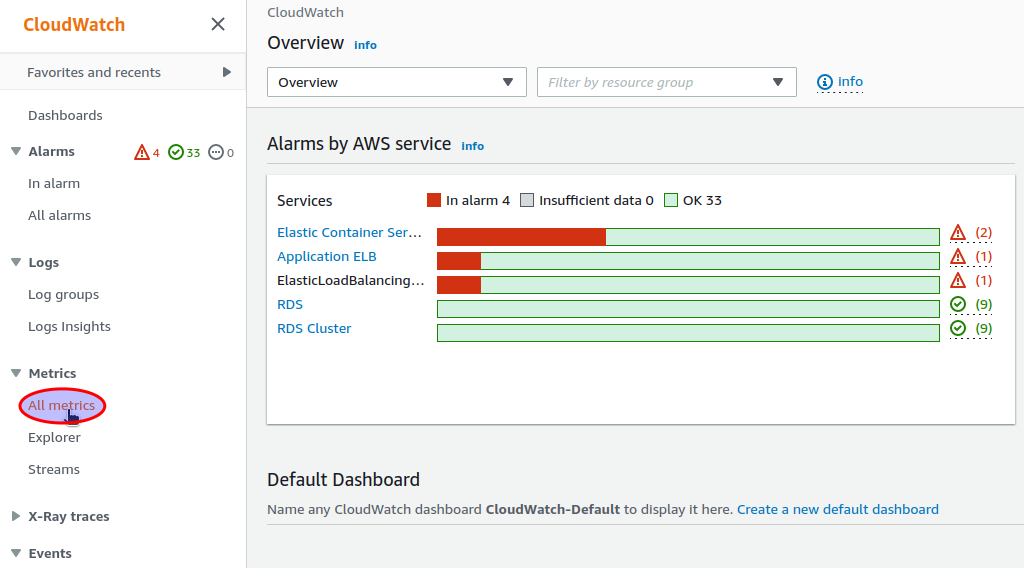
Monitoring metrics can be accessed in the AWS CloudWatch console. To show them you have to open the All metrics view:
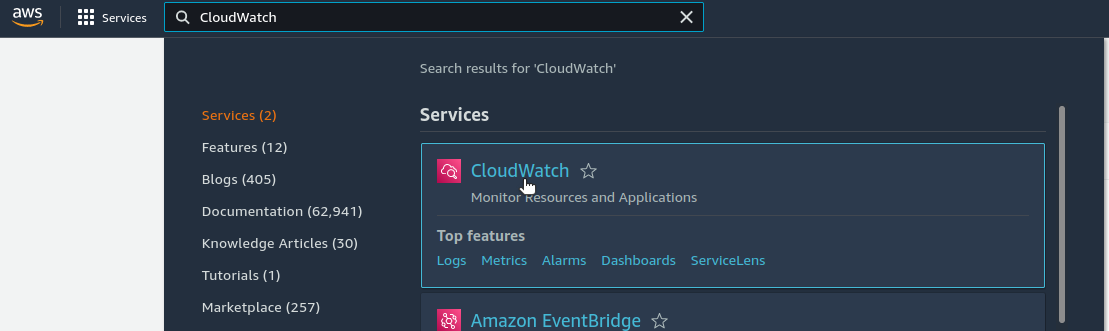
- Find and select the CloudWatch console:
- Select the
All metricsview:
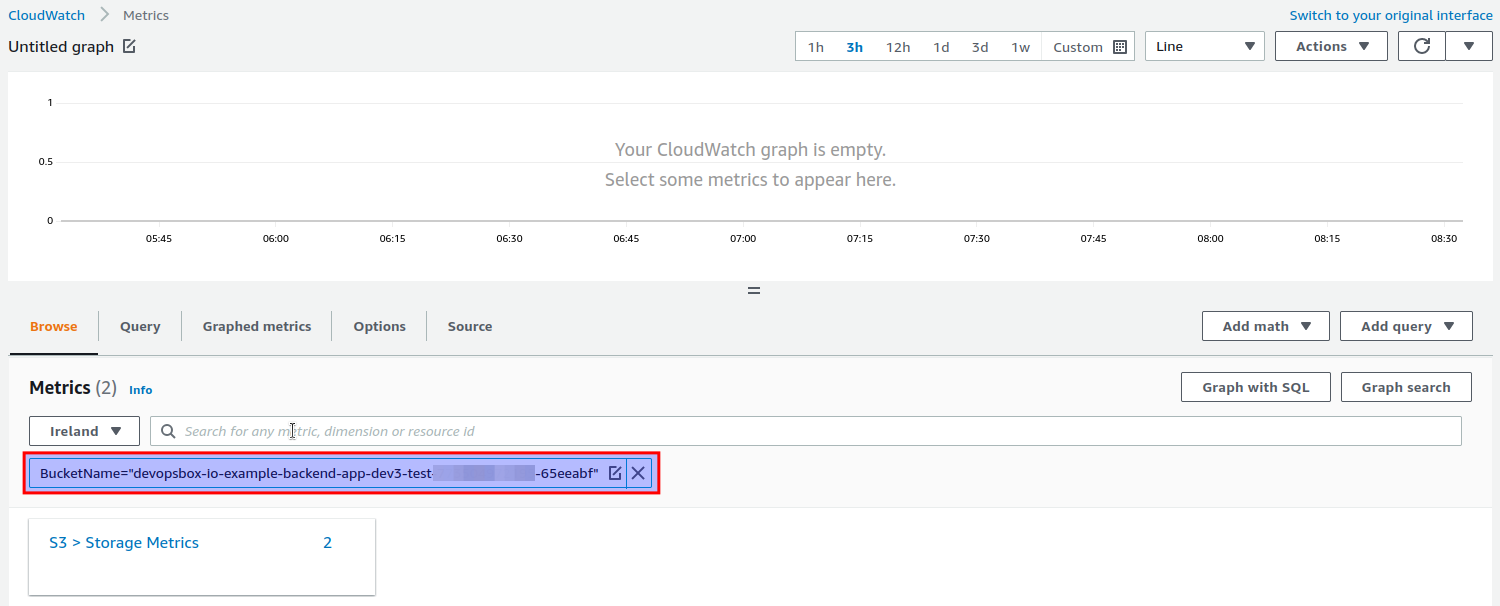
Then you can show all metrics related to your S3 bucket by entering BucketName="YOUR_BUCKET_NAME" (
e.g. BucketName="devopsbox-io-example-backend-app-dev3-test-123456789012-65eeabf"):
Notifications
There are no CloudWatch alarms or notifications automatically created for the S3 backing service.